
When evaluating shared hosting vs cloud vps, In online marketing discussions, web hosting is often subject to dramatic claims. Some commentators assert that "shared hosting destroys your search rankings," while others argue that hosting infrastructure is entirely irrelevant as long as the page loads. The technical reality is nuanced. Google does not maintain an algorithmic penalty specifically targeted at shared hosting accounts. Search engine spiders crawl millions of functional, well-ranked websites hosted on shared servers daily.
However, server infrastructure directly impacts the technical foundation of your digital presence: server availability (uptime), Time to First Byte (TTFB), crawl budget efficiency, and Core Web Vitals stability. For Indian businesses evaluating digital investments, understanding how hosting architecture interacts with search performance enables pragmatic decision-making without wasteful over-engineering. Below is an evidence-based analysis comparing shared hosting, virtual private servers (VPS), and cloud environments.
Strategic Overview: Shared Hosting Vs Cloud Vps and Industry Best Practices
While search engines prioritize content relevance and backlink authority, hosting infrastructure influences search outcomes through several technical mechanisms:
- Time to First Byte (TTFB): TTFB encompasses network latency, DNS resolution, and the server’s time to process PHP code and database queries before dispatching the first HTML byte. While there is no universal cutoff where rankings drop, Google’s Core Web Vitals framework recommends a TTFB under 800 milliseconds to provide sufficient buffer for Largest Contentful Paint (LCP) to render within 2.5 seconds.
- Crawl Budget and Fetch Rate: When Googlebot crawls a large corporate website with hundreds of pages, it monitors server responsiveness. If the server repeatedly takes multiple seconds to respond or returns 503 Service Unavailable errors, Googlebot throttles its crawl rate to prevent crashing the server, delaying the indexing of newly published content.
- Uptime and Availability: Consistent server uptime is critical. If your hosting provider experiences recurrent micro-outages during search crawler visits, search engines may temporarily drop pages from search results until availability stabilizes.
2. Analyzing Hosting Architectures
A. Shared Web Hosting
In a shared hosting environment, hundreds of independent websites reside on a single physical machine, sharing a common pool of CPU cores, RAM, and network bandwidth.
- Advantages: Low entry cost, pre-configured cPanel/hPanel management, automated security updates, and low administrative complexity.
- Limitations: The "noisy neighbor" challenge. If another website on the same server experiences a sudden traffic surge or malware infection, your website’s CPU allocation can be throttled. Server response times fluctuate unpredictably based on overall server load.
- Suitability: Completely functional for low-traffic static websites, local brochure sites, and emerging startups with modest concurrent traffic and effective page caching.
B. Virtual Private Server (VPS)
A VPS utilizes hypervisor virtualization (such as KVM) to partition a physical server into dedicated virtual environments with guaranteed CPU cores, RAM, and dedicated NVMe storage.
- Advantages: Predictable performance without interference from neighboring accounts. Full root or managed configuration access allowing installation of modern caching layers (Redis, OPcache, Memcached) and custom database tuning.
- Limitations: Requires higher technical proficiency to manage and configure security unless opted through a managed provider.
- Suitability: Recommended for growing B2B catalogs, dynamic WooCommerce stores, and corporate websites receiving steady daily commercial traffic.
C. Cloud Infrastructure (AWS, Google Cloud, DigitalOcean)
Cloud environments distribute server instances across networked virtual machines backed by resilient cloud storage and software-defined networking.
- Advantages: Instant horizontal and vertical scalability, high hardware fault tolerance, automated snapshots, and regional data centers across India (Mumbai, Delhi NCR, Chennai).
- Limitations: Complex variable billing models and higher operational engineering overhead.
- Suitability: Essential for mission-critical enterprise applications, high-concurrency wholesale portals, and high-traffic regional media properties.
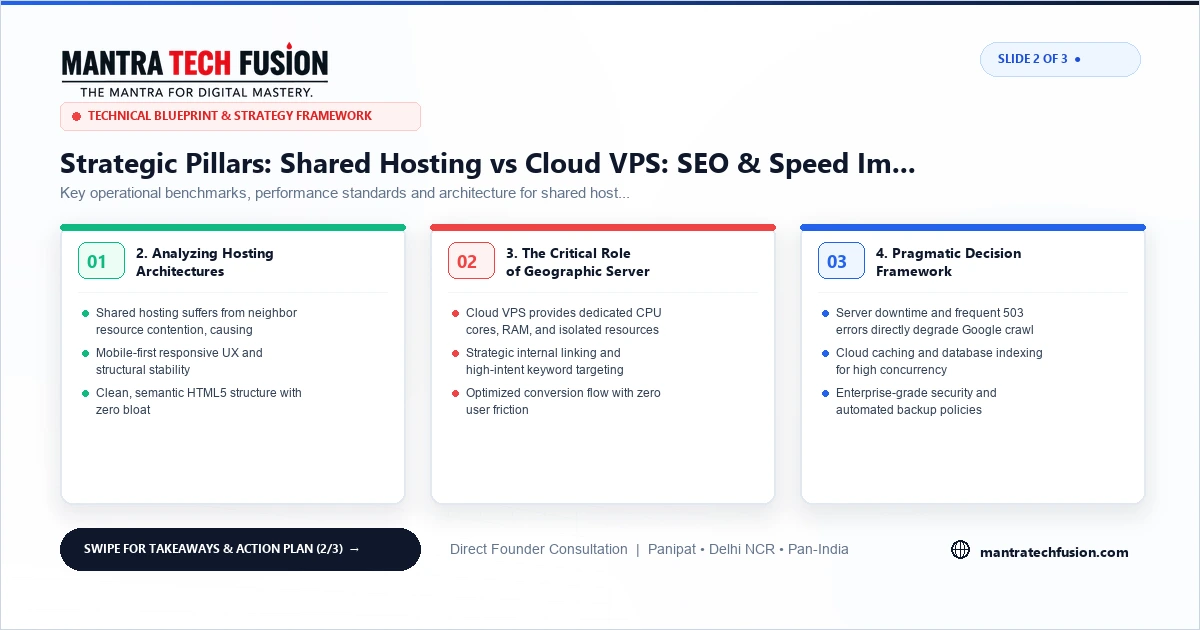
3. The Critical Role of Geographic Server Proximity
A frequent error among Indian businesses is purchasing hosting plans from international providers whose physical data centers are located in the United States or Western Europe. Physical distance introduces inescapable latency:
- Trans-oceanic fiber optic transmission introduces 150ms to 250ms of physical latency before server processing even begins.
- For an audience located primarily in India, choosing a server node physically located in Mumbai, Bengaluru, or Delhi NCR reduces physical ping times to 15ms to 40ms, providing an immediate speed advantage.
4. Pragmatic Decision Framework
Do not upgrade hosting based on fear or marketing hype. Measure your actual website performance using Google Search Console field data and real user monitoring tools. If your TTFB is consistently fast and your Core Web Vitals remain in the green, your current hosting is adequate. When server metrics indicate bottlenecks, scale systematically to a dedicated VPS or managed cloud environment.
Interactive 3-Slide Article Visual Guide

5. In-Memory Caching and Server Runtime Optimization
Before concluding that server hardware must be upgraded to a costly cloud tier, engineering teams should evaluate software-level runtime optimizations that dramatically relieve CPU utilization:
- PHP OPcache Configuration: Ensure bytecode caching is enabled in
php.iniwith sufficient memory allocation (e.g.,opcache.memory_consumption = 128). This eliminates the overhead of parsing PHP scripts on every web request. - Object Caching with Redis: For database-heavy platforms like WooCommerce or custom portals executing repetitive queries, deploying an in-memory Redis or Memcached daemon stores transient query results in RAM, reducing MySQL query execution time to sub-millisecond ranges.
- HTTP/2 and Brotli Compression: Verify your web server supports multiplexed HTTP/2 or HTTP/3 protocols and Brotli compression, enabling concurrent asset delivery and smaller payload transfer sizes over mobile network connections.
To inspect comprehensive site speed optimization, explore our technical SEO services and examine our engineering capabilities in custom web development. For additional practical guidance on performance bottlenecks, consult our complete guide on fixing Core Web Vitals on Indian business websites.